Product
NFC stamp card without an app: collect stamps with a phone tap
With the NFC stamp card from reloop, guests collect with a phone tap. Here is how the NFC tag works on Apple and Android, plus security and setup.
With the NFC stamp card from reloop, guests collect right at the counter: hold the smartphone to the NFC display, open the prompt, and the new stamp is credited to the digital card. No extra customer app, and no scan by your team.
An NFC tag on the counter turns the digital stamp card into a simple self-service process. Your team no longer has to scan the card QR code every time, while guests keep using their card straight from Apple Wallet or Google Wallet.
In short: An NFC stamp card is a digital loyalty card where a smartphone reads an NFC tag contactlessly. With reloop, the tap opens a secured web address, the system checks the tag, and then updates the matching wallet card.

What is an NFC stamp card?
An NFC stamp card links a physical NFC tag on the premises with a digital loyalty card on the smartphone. The tag sits, for example, behind a small display at the counter. Guests hold their smartphone to the marked spot and that triggers the stamp booking.
With reloop, the loyalty card lives directly in Apple Wallet or Google Wallet. It is added to the smartphone once. After that, the guest can collect with an NFC tap on future visits.
NFC stamping complements the staff scanner:
| Way to award | How it works | Especially suited to |
|---|---|---|
| Staff scanner | Your team scans the QR code on the loyalty card. | personal service, redeeming rewards, a controlled checkout process |
| NFC tap | The guest holds their own smartphone to the NFC tag. | peak times, self-service, mobile stands and extra collection points |
Both routes book to the same digital stamp card without an app. You can use them side by side, which always gives you a fallback if a smartphone does not support NFC.
Why NFC makes stamping at the counter easier
Fewer steps for your team
With an NFC booking, the guest operates their own smartphone. Your team can keep taking payments, preparing drinks or handing out orders.
No extra customer app
The tap opens a secured web page. The stamp card itself lives in Apple Wallet or Google Wallet. Guests do not have to install a separate reloop app.
A clear collection point on the premises
A visible NFC display shows exactly where to stamp. That works well for the counter, a pickup area, a food truck or a supervised self-service station.
Scanner and NFC usable together
NFC is an additional way to award stamps, not a requirement. If a guest cannot or does not want to use NFC, your team keeps stamping via the staff scanner.
How the NFC tap works
- The guest wakes the screen or unlocks the smartphone.
- They briefly hold the top edge or the back of the device to the marked NFC area. The exact antenna position depends on the smartphone model.
- The device recognises the tag web address. On iPhone a prompt usually appears; on Android the address opens either directly or after a short confirmation, depending on the device.
- reloop checks the cryptographic data of the tag along with the configured visit rules.
- After a successful check, the stamp is booked and the digital card is updated.
With a stable internet connection the process normally takes only a few seconds. No dedicated customer app is needed.
What you need for it
- a smartphone with NFC support
- an active screen or an unlocked device
- an internet connection for the server-side check and booking
- a digital reloop stamp card assigned to the smartphone
- a reloop NFC tag set up for the program
NFC on iPhone and Android
Both platforms can read NFC tags, but they do not react in exactly the same way.
| Device | Behaviour on tap |
|---|---|
| Android with NFC | On devices with a toggle, NFC must be switched on. Depending on the maker, the address opens directly or after a confirmation. The antenna usually sits on the back, but its position varies. |
| iPhone XS, XR and newer | Reads suitable NFC tags in the background. When the display is on, a system prompt appears that you open. The antenna is typically in the upper part of the device. |
| Older or non-NFC device | The guest keeps collecting via the staff scanner. |
NFC works on NFC-capable devices, but the model, system setting, case and antenna position can all affect how it goes. A practical tip for guests: turn on the screen, hold the smartphone to the mark without moving it too fast, try the upper or middle part of the back if nothing happens, and briefly remove very thick or metallic cases if needed.
How reloop limits copied NFC links and repeated taps
reloop does not use simple NFC stickers with a permanently identical web address, but NTAG 424 DNA tags. The chip supports AES-128 cryptography and generates dynamic authentication data each time it is read. The server uses this to check whether a request belongs to a set-up tag and whether the transmitted data is valid.
On top of that, the visit rules configured in the program limit how many bookings are possible within one visit and when the same card may collect again.
That protects much better against copied links and repeated quick bookings than a static NFC link. The security comes from the interplay of several layers:
- a securely set-up NTAG 424 DNA with dynamic authentication data
- server-side verification of the signature in the backend
- a visit window and a booking pause per card
- logging of awards and the option to block individual tags
For how reloop limits unwanted repeat bookings in general, see the article Limiting stamp fraud on digital stamp cards.
Set NFC rules once per program
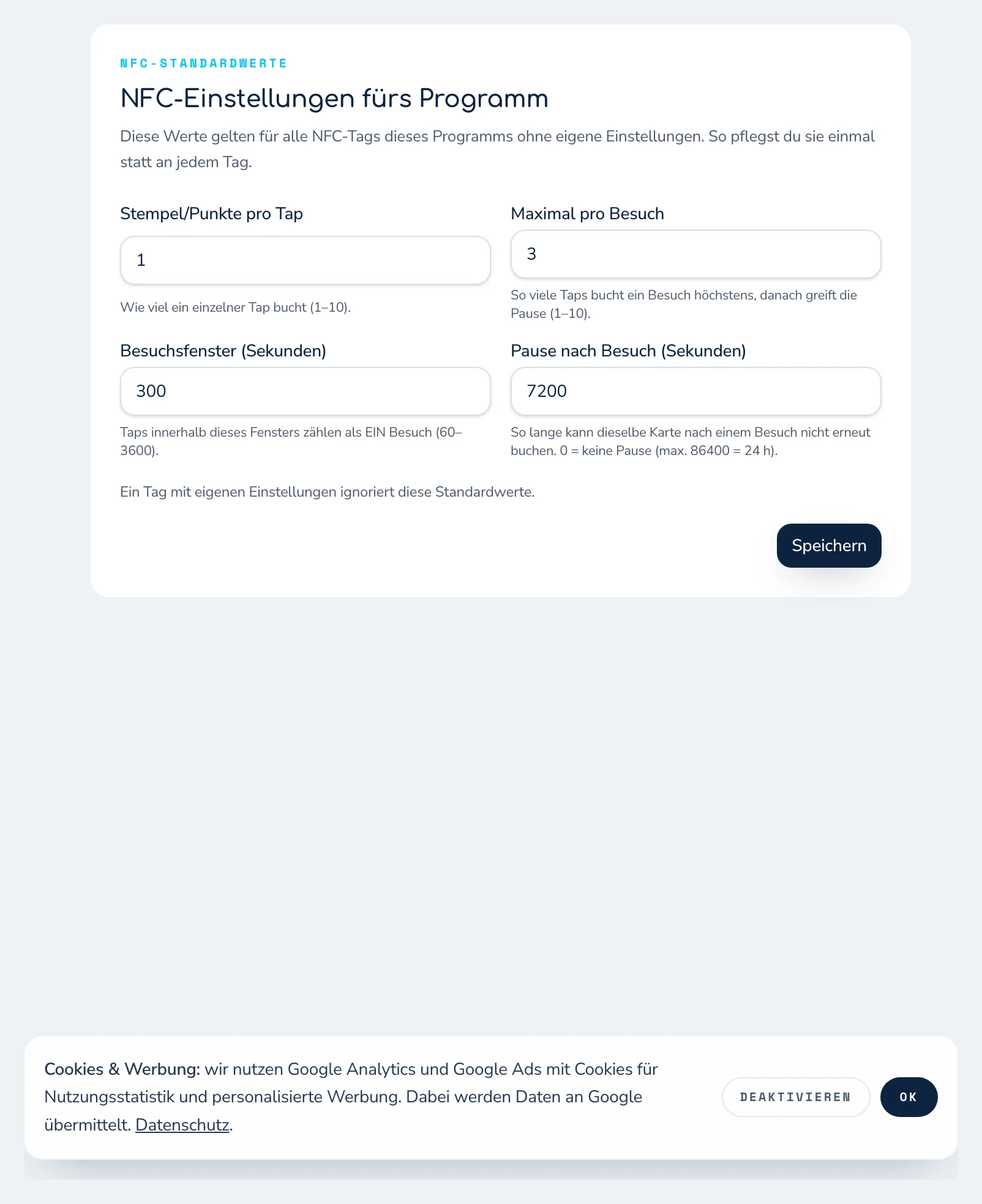
In the dashboard you assign each NFC tag to a program and, if needed, to a location. You maintain the most important tap rules centrally for the program. Tags without an individual exception adopt these values automatically.
| Setting | Meaning |
|---|---|
| Stamps per tap | How many stamps a successful tap awards. |
| Maximum per visit | How many successful taps may count within one visit. |
| Visit window | The period in which several taps are treated as one connected visit. |
| Pause after visit | The period before the same card may collect again via NFC. |
That way you do not have to configure every tag separately across multiple checkouts or locations. Individual tags can still get their own settings if needed.
Which NFC tags do you need?
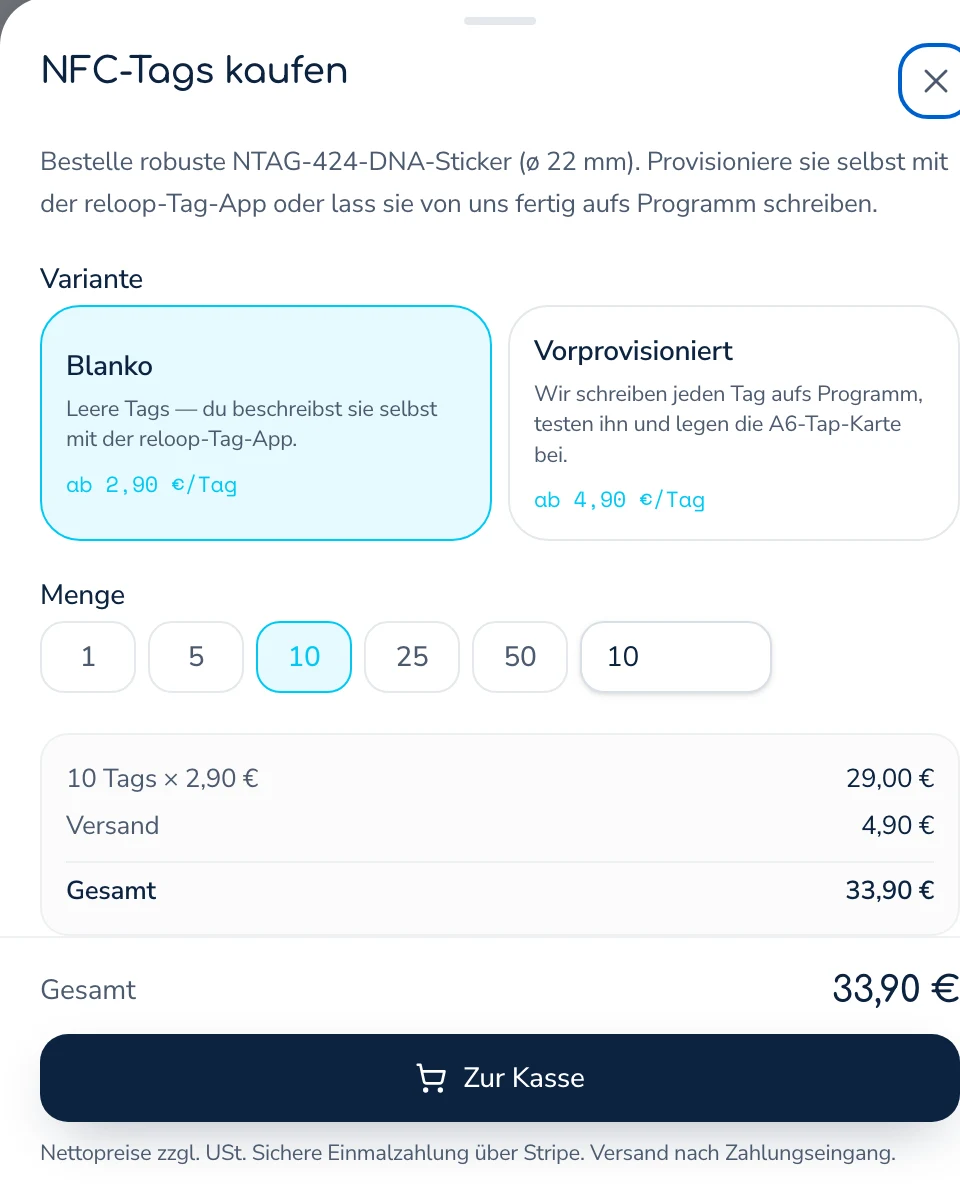
For the secured self-service booking, reloop uses NTAG 424 DNA. An ordinary, freely writable NFC sticker with a static link is not enough for this. There are two paths:
- Provision them yourself: you order compatible blank tags and set them up with the reloop tag app yourself. Cheaper.
- Order them pre-provisioned: reloop sets up the tags for the chosen program, tests them and ships them ready to use.
You order both options directly in the NFC tab of the dashboard. You choose the quantity and variant there; prices and shipping are shown live during the order process.
Build the NFC tag into your own display
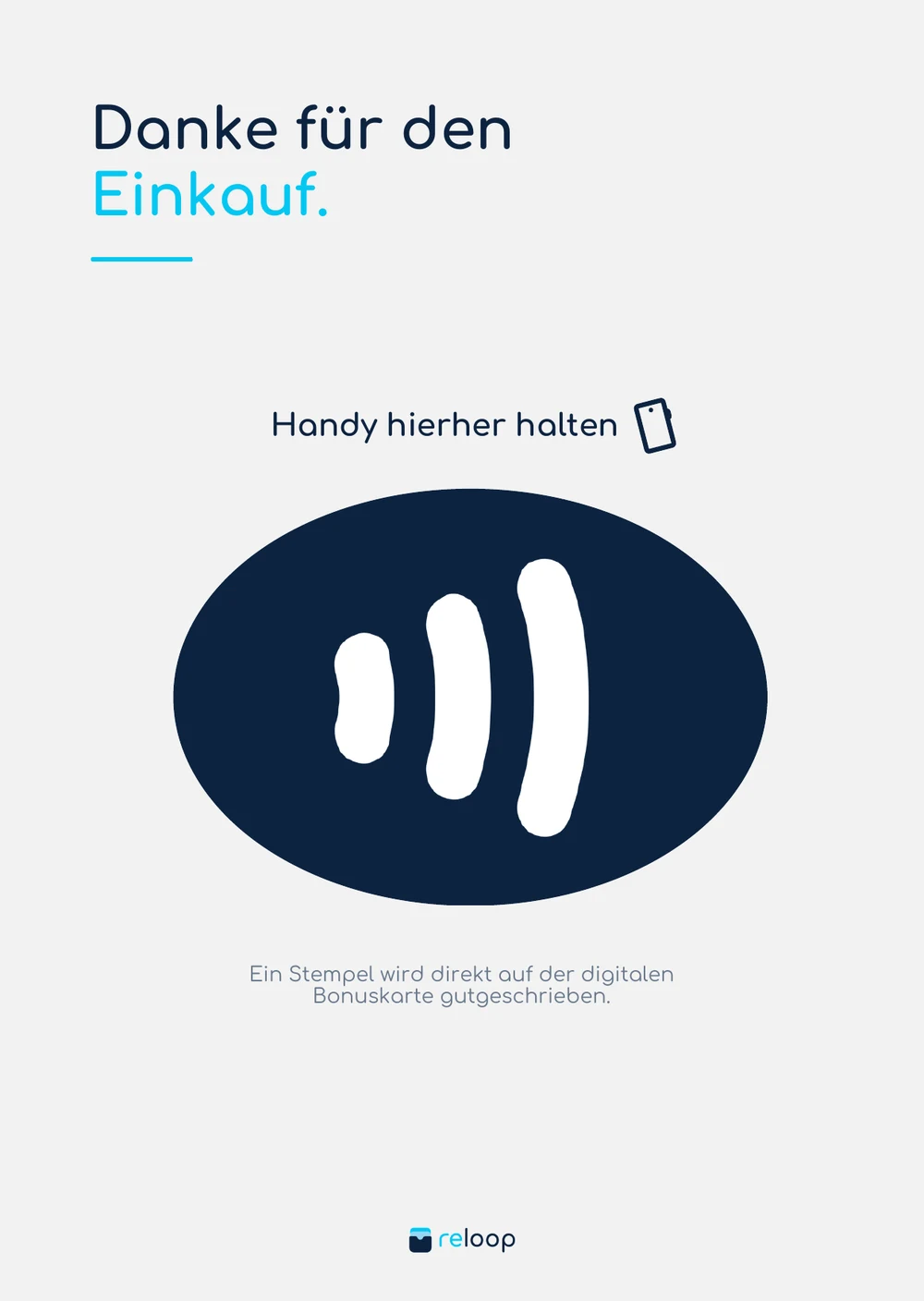
The tag can be placed behind a reloop tap card or in your own branded display. What matters is that the tap area is clearly marked and easy to reach. For reliable detection:
- do not stick the tag directly onto metal; on metal surfaces use a suitable on-metal tag or enough clearance;
- do not place the tag behind very thick material;
- mark the tap position on the display unambiguously;
- test the finished setup with several iPhone and Android models;
- fix the tag so it cannot be swapped out unnoticed.
Where NFC stamping fits especially well
- Cafés and bakeries: guests collect on their own during peak hours while the team keeps serving.
- Restaurants and takeaway: NFC at the pickup area complements the scan at the counter.
- Food trucks and mobile coffee bars: a compact display creates a fixed collection point at the mobile location.
- Car washes and self-service areas: the tap can be offered at a supervised or clearly controlled station.
- Events: several uniquely assigned tags cover different service points.
- Multiple locations: each location gets its own tag, while shared rules are managed centrally on the program.
During a double or triple stamps promotion, reloop applies the active multiplier to the NFC tap as well.
Best practices for a reliable NFC collection point
- Place the display clearly visible and within easy reach.
- Use a clear call to action, for example
unlock your phone and hold it here briefly. - Mark the NFC area with the familiar NFC symbol.
- Do not stick it directly onto a metal surface.
- Test with an iPhone and several Android devices.
- Set the booking pause and visit limit to fit your business model.
- Keep the staff scanner active as a fallback.
- Briefly explain to your team how to help guests on first use.
- Name every tag clearly in the dashboard by checkout, location or station.
- Review unusual bookings regularly and block lost or removed tags immediately.
Common questions about the NFC stamp card
Do guests need their own app?
No. The NFC tap opens a secured web page, and the digital stamp card lives in Apple Wallet or Google Wallet. An extra reloop customer app is not required.
Does NFC stamping work on every smartphone?
No, the smartphone has to support NFC. Suitable iPhones and most current Android devices can read NFC tags. On unsupported devices, the staff scanner remains as an alternative.
Does the NFC tap need an internet connection?
Yes. reloop checks the tag and the booking rules on the server. Without an internet connection the stamp cannot be reliably checked and credited.
Can a copied NFC link be used again?
reloop uses the dynamic authentication data of an NTAG 424 DNA and checks every request in the backend. A statically copied link therefore cannot be reused freely like a simple NFC link, and visit rules limit repeated bookings on top of that.
Can I use an ordinary NFC sticker?
The secured self-service booking needs a correctly set-up NTAG 424 DNA. A simple tag with a permanent link does not offer this cryptographic check.
Does the team have to confirm something on every tap?
No. Once set up, a valid NFC booking runs through the guest smartphone and the server-side check. The team can keep using the scanner in parallel.
Can I build the tag into my own branded display?
Yes. The tag can be placed behind paper, cardboard or suitable plastic. On metal surfaces a setup made for that is needed. Test the marked tap area with different devices before going live.
How many NFC tags do I need?
As a starting point, one tag per checkout, location or clearly defined collection point is usually enough. Every tag can be assigned uniquely in the dashboard and blocked if needed.
What happens if NFC is switched off or does not work?
On supported Android devices, NFC can be switched on in the system settings. If the tap still does not work, the guest collects via the staff scanner.
Try NFC stamping
With NFC tap-to-stamp, the digital stamp card gets even simpler at the counter: guests hold their smartphone to the marked area, reloop checks the tap and updates the card in the wallet. With central rules, booking pauses and blockable tags you stay in control, and you can use NFC and the staff scanner together at any time.